Independent B2B sourcing · One trading contactkunhuow@gmail.com ↗
FACTORY SOURCING HUBProduct sourcing for business buyers
Get a quote ↗
Home/Cables & Electrical Hardware/Wall Switches, Sockets, Wi-Fi Controls & Smart Lighting Sourcing
WALL FITTINGS · WI-FI CONTROL · WIRELESS DOORBELLS · BUILDING SYSTEMS

Wall Switches & Sockets With Connected Control Options

Wall Switches, Sockets, Wi-Fi Controls & Smart Lighting Sourcing

Source conventional wall switches and sockets, Wi-Fi switches and USB power accessories, kinetic wireless doorbells and selected smart lighting or building-control project directions.

  • Coordinate conventional wall fittings, signal outlets and installation accessories.
  • Compare Wi-Fi switching, USB power and press-powered doorbell directions.
  • Prepare fit-out, sample, packaging and current document requirements in one enquiry.

Manufacturing, product documents and order conditions depend on the model and supply route selected for your project.

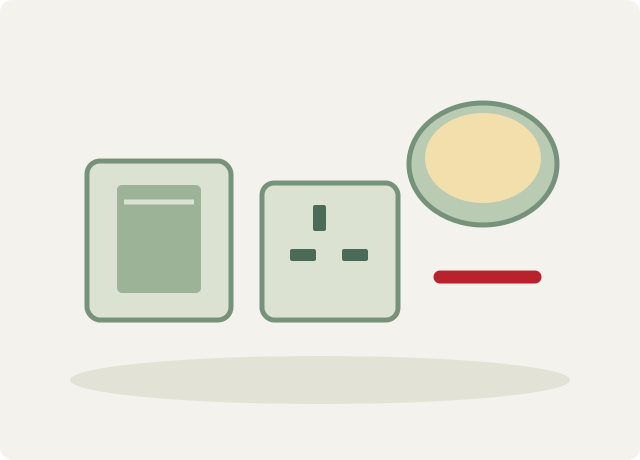
Illustration of electrical fittings and control components
Category illustration. Confirm the exact electrical ratings, mounting, interfaces and current product documents for the selected item.

Start with a product reference, intended use and estimated quantity. We bring product selection, sample questions and quotation details into one conversation.

Email your reference image ↗
Conventional fittingsSwitches, sockets and selected signal or installation accessories
Connected controlsWi-Fi switches, plug and USB-equipped power directions
Project enquiriesWireless control, sensors, gateways, lighting and building systems
Quotation basisDestination, loads, mounting, software and acceptance documents
Explore the product range

Build the range
your buyers need.

Choose a focused product or discuss a coordinated assortment. Each direction can be developed into a more specific model and packaging brief.

Wall switches and coordinated socket ranges

Compare conventional wall-switch and socket directions with selected polycarbonate, thermoset or metal-faced styles. Define the local electrical system, installation format and appearance schedule.

Enquire about this range ↗

Wide-rocker and screwless switches

Include wide-rocker, screwless-face and locator-strip directions. Compare clip-on modules, faceplate changes, mounting adjustment and the selected back-support arrangement.

Enquire about this range ↗

Power, cooker and multi-socket accessories

Include switched sockets, multi-socket and cooker-control requests. The complete accessory schedule and destination requirements determine the selected configuration.

Enquire about this range ↗

Data, telephone and broadcast outlets

Coordinate television, telephone, data and satellite outlet directions with the faceplate design. Connector type and performance require the selected specification.

Enquire about this range ↗

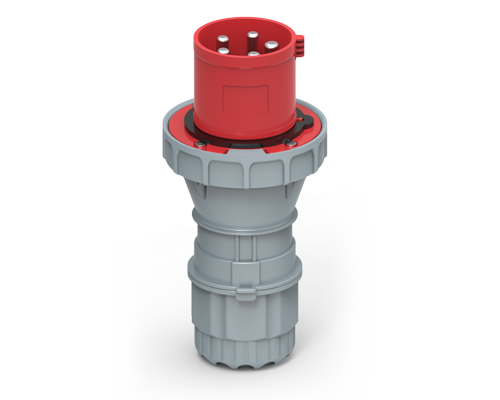
Plugs, extension and installation accessories

Include extension sockets, plugs, adaptors, lamp holders and cavity-box directions. Agree component ratings, fit and the complete installation schedule.

Enquire about this range ↗

Wi-Fi wall switches

Compare selected multi-gang Wi-Fi switch directions with app-based and physical operation. Neutral requirements, load type, app, network, commissioning and current compatibility need confirmation.

Enquire about this range ↗

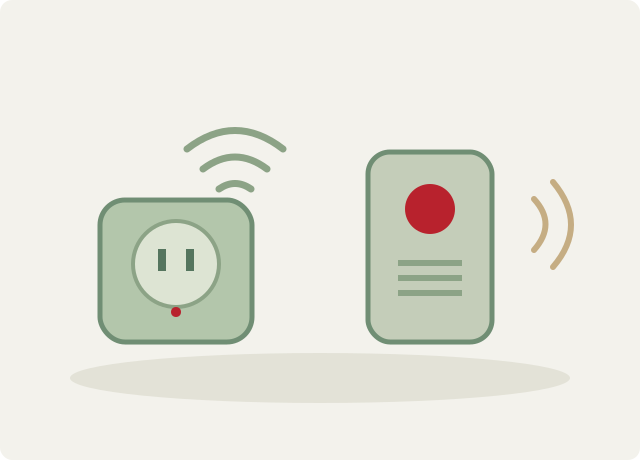
Wi-Fi plugs and USB socket products

Include plug-in Wi-Fi control, selected USB-equipped socket and extension directions. Specify aggregate mains load, individual control, USB output and the required present technical documents.

Enquire about this range ↗

Kinetic wireless doorbells

Discuss a doorbell direction with a press-powered radio transmitter and a matched receiver. Define location, receiver supply, pairing and site coverage requirements.

Enquire about this range ↗

Wireless wall-control enquiries

Bring wireless wall-switch requirements into the project brief. The transmitter, receiver, power arrangement, communication method and current available configuration require individual selection.

Enquire about this range ↗

Smart sensors and gateways

Include the smart-sensor and gateway directions listed for the current exhibition range. Define sensing function, system interfaces and commissioning requirements before selecting devices.

Enquire about this range ↗

Smart LED lighting and drivers

Discuss selected smart LED lighting and driver requests as part of a lighting-control brief. Output, supply, dimming interface, driver and control compatibility require current data.

Enquire about this range ↗

Building-control system projects

Include KNX-oriented and other disclosed building-control project enquiries. Agree the actual devices, topology, integration responsibilities and current qualification documents.

Enquire about this range ↗

Specialist lighting requests

Include the additional specialist-lighting direction shown in the product range. Optical function, mounting, electrical supply and fixture specification need individual confirmation.

Enquire about this range ↗

Semi-knocked-down and coordinated fit-out requests

Selected conventional switch-range information offers semi-knocked-down export. Agree the exact supplied parts, assembly responsibilities, labelling and completed-product acceptance requirements.

Enquire about this range ↗
Reference product directions

Start with a product.
Define the details.

Use these options to describe what you are buying. The public references identify your enquiry; the final model and specification are confirmed before an order.

Wide-rocker switch reference sourcing illustration
REFERENCE 0224-01

Wide-rocker switch reference

Selected wide-rocker reference with a screwless face, locator strip and clip-on module direction. Confirm the current load classification and installation drawing.

Published current reference
10 A
Switch arrangement
1 gang, 1 way
Face direction
Wide rocker with locator strip
Discuss this option ↗
Polycarbonate wall-switch reference sourcing illustration
REFERENCE 0224-02

Polycarbonate wall-switch reference

Selected screwless switch direction with an adjustable mounting opening and stepped intermediate plate. Confirm the required mounting box and load type.

Published current reference
10 A
Switch arrangement
1 gang, 1 way
Material direction
Polycarbonate
Discuss this option ↗
Changeable-face switch direction sourcing illustration
REFERENCE 0224-03

Changeable-face switch direction

Selected conventional switch-range information includes changeable panel appearance and a metal-backed support direction.

Switch arrangement
1 gang, 1 way
Supply option
Selected semi-knocked-down export request
Appearance direction
Changeable panel style
Discuss this option ↗
Wall sockets and cooker-control directions sourcing illustration
REFERENCE 0224-04

Wall sockets and cooker-control directions

Coordinate the power-outlet and cooker-control schedule with the selected wall accessory design.

Directions
Switched, multi-socket and cooker-control accessories
Selection basis
Local system, load, mounting and required documents
Discuss this option ↗
Signal-outlet directions sourcing illustration
REFERENCE 0224-05

Signal-outlet directions

Include television, telephone, data and satellite outlets in a coordinated fitting schedule.

Directions
TV, telephone, data and satellite outlets
Confirm individually
Connector type, performance and faceplate fit
Discuss this option ↗
Extension and installation accessories sourcing illustration
REFERENCE 0224-06

Extension and installation accessories

Include selected extension sockets, plugs, adaptors, lamp holders and cavity boxes alongside the wall fittings.

Directions
Power and mounting accessories
Selection basis
Exact component schedule and local requirements
Discuss this option ↗
Two-gang Wi-Fi switch sourcing illustration
REFERENCE 0224-07

Two-gang Wi-Fi switch

Selected switch reference supports app-based operation and physical switching. Confirm loads, wiring, network and software requirements.

Gang count
2
Control directions
App or physical operation
Discuss this option ↗
Three-gang Wi-Fi switch sourcing illustration
REFERENCE 0224-08

Three-gang Wi-Fi switch

A separate multi-gang reference supports app-based operation and physical switching. Select the actual circuit and wiring configuration.

Gang count
3
Control directions
App or physical operation
Discuss this option ↗
Wi-Fi plug reference sourcing illustration
REFERENCE 0224-09

Wi-Fi plug reference

Selected plug-in control reference. The applicable plug system, current rating plate, supply and software are confirmed for the destination.

Published current reference
13 A
Control direction
Wi-Fi / app
Discuss this option ↗
Wi-Fi socket with USB sourcing illustration
REFERENCE 0224-10

Wi-Fi socket with USB

Selected socket reference combines mains switching with USB outlets. Confirm USB voltage, current, protocol and simultaneous-load limits.

Published current reference
13 A
USB outlet count
2
Control direction
Wi-Fi / app
Discuss this option ↗
Wi-Fi extension with USB sourcing illustration
REFERENCE 0224-11

Wi-Fi extension with USB

Selected extension reference with multiple mains outlets and USB outlets. Confirm total assembly rating and per-outlet control; do not multiply the stated reference current by outlet count.

Published current reference
13 A
Mains outlet count
4
USB outlet count
4
Control direction
Wi-Fi / app
Discuss this option ↗
Press-powered wireless doorbell sourcing illustration
REFERENCE 0224-12

Press-powered wireless doorbell

Selected direction uses the button press to generate transmitter energy and send a radio signal. Pairing and receiver configuration are selected for the installation.

Transmitter direction
Kinetic energy from button press
System details
Matched transmitter and receiver; receiver supply to confirm
Discuss this option ↗
Wireless wall-switch request sourcing illustration
REFERENCE 0224-13

Wireless wall-switch request

Prepare the required wall-control positions, receiver loads and installation conditions for a wireless-switch enquiry.

Project details
Transmitter, receiver, power and communication method
Selection basis
Current configuration and installation requirements
Discuss this option ↗
Smart-sensor and gateway requests sourcing illustration
REFERENCE 0224-14

Smart-sensor and gateway requests

Selected current exhibition directions can be included in a building-control enquiry. Specify sensor function and the gateway interfaces.

Directions
Smart sensor and gateway
Confirm individually
Function, communication, power and commissioning
Discuss this option ↗
Smart lighting and driver requests sourcing illustration
REFERENCE 0224-15

Smart lighting and driver requests

Discuss LED fixtures and drivers together with the required lighting-control interface and electrical schedule.

Directions
Smart LED light and driver
Confirm individually
Light output, supply, dimming and control compatibility
Discuss this option ↗
Building-control project direction sourcing illustration
REFERENCE 0224-16

Building-control project direction

Include the required KNX system direction in a current device and integration schedule.

System direction
KNX-oriented project enquiry
Project details
Devices, topology, interfaces and commissioning
Discuss this option ↗
Specialist lighting direction sourcing illustration
REFERENCE 0224-17

Specialist lighting direction

A separate light-fixture direction is shown among the product references. Define optical function, mounting and supply so a current specification can be assessed.

Direction
Specialist lighting request
Technical basis
Current fixture and optical specification
Discuss this option ↗

Examples distinguish specific product references from broader project directions. Confirm current drawings, complete ratings, wiring, software, applicable documents and present availability for the selected item. USB outlet count does not establish charging protocol or power; mains reference current must be checked for the complete assembly.

What matters for this category

A better brief.
A clearer comparison.

Focus the sourcing conversation on the features, materials and production details that make a difference to your product range.

01

Coordinate a consistent accessory schedule

Bring switches, power and signal outlets, installation boxes and selected extensions into one room-by-room schedule. Match appearance with the local electrical system and required mounting details.

02

Compare conventional and connected operation

Selected physical switches, Wi-Fi controls and a press-powered doorbell direction offer different starting points. A clear brief identifies wiring, network, receiver, software and maintenance needs.

03

Prepare fit-out and assembly requirements early

Include sample-board needs, faceplate schedule and any semi-knocked-down request with the technical and packing specification. Agree supplied parts and acceptance criteria before the order is finalised.

Branding, configuration & packaging

Make the product
fit your programme.

Bring artwork, reference samples and a target cost. The available process, minimum quantity, sample charges and development scope are reviewed for the chosen option.

01

Faceplate and configuration brief

Submit colour, finish, module arrangement, mounting box and functional schedule. Desired appearance changes or coordinated ranges can be assessed against the available product directions.

02

Samples and assembly options

Request the selected sample configuration or discuss a semi-knocked-down supply where applicable. Sample availability, charges, assembly responsibilities, labelling and final acceptance are confirmed individually.

03

Marking and shipping preparation

Specify identification, artwork, instructions, packing quantities and destination language needs. Agree protection for visible surfaces, plug pins and electronic assemblies along with the shipping and inspection plan.

Quality & product evidence

Turn requirements
into checks.

Agree which product characteristics need testing and how the approved sample relates to the bulk order.

01

Mechanical and installation fit

Agree faceplate fit, mounting dimensions, module retention, material and finish checks. Confirm mounting-box compatibility and the supplied installation information for the selected fitting.

02

Electrical and connected functions

Define load type, complete rating, wiring, protective requirements, switching operation and relevant tests. For connected products, include app, pairing, network, USB output and failure or recovery behaviour in the acceptance brief.

03

Evidence matched to the item

Request applicable conformity, restricted-substance and performance records for the quoted configuration and destination. Visual inspection, functional sampling and packing checks are agreed for the order.

Test capability is a starting point for the inspection plan. Request the method, applicable model and results needed for your order.

Documents matched to the order

Ask for evidence
that fits the product.

A useful quotation starts with the fitting schedule and destination requirements, then identifies the exact electrical and connected functions to validate.

State the sales market, intended users and required files in your first enquiry. Current validity and scope are checked for the selected supplier and product; a category description does not certify every item.

Share your document requirements ↗
Accessory schedule and installation file
Provide locations, quantities, functions, mounting system, load type and local electrical requirements. Request current drawings, terminal details and installation instructions.
Connected-product technical file
For Wi-Fi, wireless and smart projects, list required interfaces, software, power, receiver or gateway arrangement, USB outputs and commissioning needs. Request documents covering the selected configuration.
Sample, packing and commercial agreement
Agree sample terms, any assembly responsibility, identification, instructions, packing, inspection, shipping basis and delivery. Terms and qualification requirements are confirmed in the quotation.
Built around how you sell

Different buyers.
Different specifications.

Your sales channel changes the assortment, packaging and quality priorities. Tell us the intended use as well as the product name.

01

Residential and hospitality fit-outs

Coordinated power, switching and signal-accessory enquiries with selected appearance, mounting and room-by-room functions.

02

Retrofit and connected-control projects

Wi-Fi switching, selected plug-in USB power and wireless-doorbell requests assessed against existing wiring, networks and installation conditions.

03

Lighting and building-system projects

Selected sensors, gateways, smart lighting, drivers and building-control directions with a defined integration and commissioning brief.

From first brief to a defined order

One contact.
A practical next step.

Samples, commercial terms and responsibilities are agreed for the project. Use the same product and packing specification when comparing quotations.

01

Share the requirement

Product, reference image, quantity, sales market and timing.

02

Compare suitable options

Review configuration, materials, sample scope and relevant documents.

03

Approve the specification

Agree artwork, packaging, sample, testing and inspection criteria.

04

Confirm the order plan

Set price, payment, production, delivery and defect remedies in writing.

Buyer questions

Before you send
your first enquiry.

Practical answers about this sourcing direction, customization and the reference options. Your agreed specification and written quotation determine the actual order.

Which products can be included?

Conventional switches and sockets, signal and installation accessories, Wi-Fi switches, plug or USB power products and kinetic wireless doorbells can be considered. Selected sensors, gateways, lighting and building-system directions need a project brief.

Can I request a coordinated wall-accessory range?

Provide the appearance, colour, finish, functions, mounting boxes and local requirements. The selected product schedule and current drawings establish which accessories can be matched.

Do Wi-Fi switches support physical operation?

The selected two- and three-gang references describe both app and physical operation. Wiring, loads, software, network and current functionality must be confirmed for the chosen configuration.

Does the wireless doorbell need no power anywhere?

The selected transmitter uses energy generated by the button press. The matched receiver and its supply require confirmation. Coverage and pairing are assessed for the installation.

Do USB products guarantee a particular fast-charge protocol?

The references list USB-equipped products without a complete present output or protocol specification. State the required USB voltage, current, charging protocol and simultaneous loads in the enquiry.

Can I request semi-knocked-down supply?

A selected conventional switch-range reference describes this option. Confirm the exact parts, quantities, assembly responsibilities, marking and completed-product acceptance requirements for the order.

Are all products certified for my destination or smart system?

Qualification depends on the selected item and configuration. Request current electrical, radio, software or system documents relevant to the destination and intended installation.

What are the MOQ, sample cost and delivery time?

These are confirmed for the selected range, quantity, changes, sample or assembly needs, inspection and packing. Include your destination and target schedule for a specific quotation.

Who handles my enquiry?

Factory Sourcing Hub handles this enquiry as an independent sourcing and trading service. The product route, supplier suitability, sample scope and order responsibilities are agreed for the actual project.

How do I get a price and order minimum?

Send the product reference, quantities per variation, customization and packaging. Prices, minimums, sample charges and delivery dates are confirmed in a current quotation; the page is not a live inventory or price feed.

Can I discuss samples and inspection before ordering?

Yes. State whether you need a reference sample, a customized sample or development work. Agree the sample cost and shipping, approval specification, inspection plan and remedy for non-conforming goods before the bulk order.

What should I attach to my email?

Reference images, drawings, logo artwork and a product list are useful. Include quantities, the intended users and sales market, packaging, required documents and timing. After submitting the form, email attachments to kunhuow@gmail.com with your enquiry reference.

Tell us what you are planning

Your next order
starts with a brief.

A reference picture or a short description is enough to begin. Add the details you already know; the optional fields help make the follow-up more useful.

  • Accessory and room schedule, mounting system, finish, quantity and installation conditions.
  • Electrical supply, load type, plug or outlet system, wiring and required complete ratings.
  • Connected functions, app or interface, wireless receiver, gateway, USB outputs and commissioning needs.
  • Destination documents, samples, assembly responsibilities, packing, inspection and target delivery.
kunhuow@gmail.com

Download the enquiry checklist ↓

Independent sourcing and trading service. Supplier choice, service costs and order conditions are discussed for your project.

Discuss your requirements.

Product selection, customization, samples and quotation enquiries.

Add product, quantity or customization details (optional)

Submit your enquiry directly. We use your details to respond to your sourcing request. For attachments, email kunhuow@gmail.com with your enquiry reference. Enquiry data use.

Information basis: published product information reviewed . Reference details support a sourcing discussion. Current supply, samples and product-specific documents are confirmed for the selected item.

Have a product in mind?
Share your sourcing brief.
Send an enquiry ↗